

















































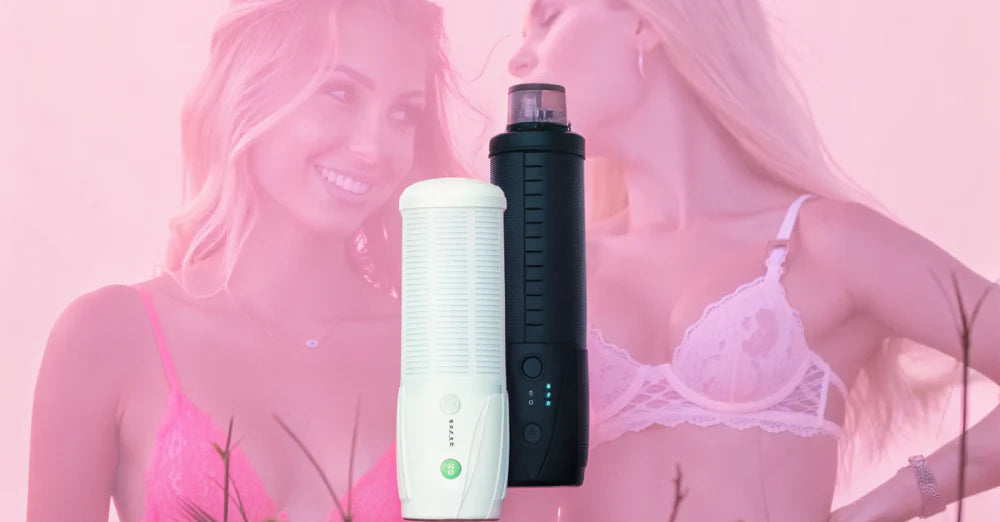
What Is a Funscript? Understanding Interactive Sex Toy Scripting
Stack & Save: Extra 15% with Jissbon15
Jissbon15
A funscript is a standardized JSON-based file format that synchronizes automated sex toys with video content, creating interactive experiences where device movements match on-screen action in real-time.
These small text files contain timestamp and position data that tell compatible toyslike automated strokers, thrusting devices, or vibrators exactly when and how to move during video playback. Understanding what a funscript file is and how it works opens up an entirely new dimension of solo pleasure, transforming passive viewing into immersive, physically synchronized experiences.
Who Uses Funscripts and Why?
Funscripts serve specific interests within the interactive pleasure technology community:
- VR enthusiasts seeking fully immersive experiences where physical sensations match visual content
- Owners of automated strokers and masturbators who want synchronized stimulation rather than manual control
- Content creators producing interactive adult videos with built-in device compatibility
- Tech-savvy users interested in customizing and creating their own interactive experiences
- Couples exploring remote intimacy through synchronized toy control across distances
Whether you're new to interactive toys or an experienced user, funscripts enhance realism and engagement significantly.
Understanding Funscript File Format and Structure

Funscripts use a simple, human-readable text format based on JSON (JavaScript Object Notation).
Basic File Structure
A .funscript file contains pairs of data points:
- Timestamp (in milliseconds): When the action occurs in the video
- Position (0-100): Where the device should move (0 = fully retracted, 100 = fully extended)
Why JSON Format?
JSON is lightweight, easy to read, and compatible with virtually any programming language or platform. This makes funscripts portable across different devices, apps, and operating systems.
How Funscripts Work with Interactive Devices
Funscripts act as instructions that compatible software translates into physical device movements.
The Playback Process
- Load Video and Funscript: Compatible player software opens both the video file and the matching .funscript file
- Sync Timestamps: The player reads timestamp data and matches it to video playback time
- Send Commands: At each timestamp, the software sends position commands to the connected device
- Device Responds: The toy moves to the specified position, creating synchronized stimulation
Compatible Devices
Funscripts work with various automated pleasure devices:
- Automated strokers (e.g., devices with vertical or rotational movement)
- Thrusting male masturbators with programmable depth and speed
- Vibrators with intensity patterns
- Multi-axis devices that combine stroke, rotation, and vibration
Required Software
You need compatible player software that can read .funscript files and communicate with your device. Popular options include:
- ScriptPlayer (open-source, Windows)
- Handyverse (web-based, works with The Handy device)
- MultiFunPlayer (multi-device support)
- XToys (mobile and web-based)
Creating Your Own Funscripts
While many scripts are available for download, creating custom scripts offers complete control over your experience.
Method 1: Manual Scripting Tools
Dedicated scripting software lets you watch videos and mark keyframes manually:
Step 1: Choose a Scripting Tool
Popular options include:
- OFS (OpenFunscripter) - Free, open-source, Windows/Mac/Linux
- Funscript.cz - Simple web-based tool
- JoyFunScripter - Feature-rich desktop application
Step 2: Load Your Video
Import the video file you want to script. The software displays a timeline below the video.
Step 3: Mark Position Points
Play the video and click to add position points at key moments. Higher positions (70-100) represent deeper penetration or stronger intensity. Lower positions (0-30) represent withdrawal or lighter touch.
Step 4: Refine Timing
Adjust points to match video action precisely. Smooth out jerky movements by adding intermediate points or using interpolation features.
Step 5: Export and Test
Save your .funscript file with the same name as your video. Test playback to ensure movements feel natural and synchronized.
Method 2: Automated Generation
Some tools use motion detection or AI to generate scripts automatically by analyzing video movement:
- Faster than manual scripting
- Requires video editing knowledge
- Results often need manual refinement
Method 3: Blender Add-On
The Funscripting Blender add-on allows precise 3D animation-based scripting:
- Import video into Blender's video editor
- Use the add-on to mark stroke positions on a timeline
- Export as .funscript format
This method offers professional-level control but requires familiarity with Blender software.
For creative communities and resources, explore EroScripts community forums.
Finding and Downloading Funscripts

Thousands of pre-made scripts are available for popular adult content.
Where to Find Scripts
- EroScripts.com: The largest community-driven repository with free and paid scripts
- Realsync.com: Commercial platform with professionally created scripts
- Script sharing communities: Reddit, Discord servers, and specialized forums
- Content creator sites: Some adult performers release scripts alongside their videos
Matching Scripts to Videos
Scripts are created for specific videos. You need:
- The exact video file the script was made for
- A .funscript file with a matching filename (e.g., video.mp4 and video.funscript)
Many script repositories include video source information or unique identifiers to help you find the right pairing.
Quality Considerations
Script quality varies significantly:
- Hand-scripted: More accurate, natural-feeling, but time-intensive to create
- Auto-generated: Faster production but may feel mechanical or miss nuance
- Community ratings: Check reviews and ratings before downloading
Funscript vs Other Interactive Formats
Understanding different scripting formats helps you choose compatible content and devices.
Funscript (.funscript)
- Standard format for stroke-based devices
- JSON-based, human-readable
- Widely supported across platforms
- Easiest to create and modify
ESTIM (.estim)
- Designed for electrostimulation devices
- Uses different parameter types (intensity, frequency, pulse)
- Not compatible with mechanical devices
Buttplug.io Formats
- Platform-agnostic format supporting multiple device types
- Handles vibration, rotation, and linear movement
- More complex but more versatile
VorzeA10 Formats
- Proprietary format for specific device brands
- Limited cross-compatibility
- Often requires conversion to funscript
When to Use Funscripts:
Choose funscripts for stroke-based devices like automated male stroker toys. For multi-function devices with vibration, rotation, and thrust, consider more comprehensive formats or use multiple scripts simultaneously.
Setting Up Funscript Playback
Getting started with funscripts requires the right combination of hardware, software, and files.
Step 1: Choose a Compatible Device
Verify your device supports funscript playback. Popular compatible devices include:
- The Handy (automated stroker)
- OSR2/SR6 (DIY multi-axis devices)
- Keon (automated masturbator)
- Compatible vibrators with app control
Step 2: Install Player Software
Download and install compatible software:
- For Windows: ScriptPlayer, MultiFunPlayer
- For Web/Mobile: Handyverse, XToys
- For Mac/Linux: OFS (also functions as player)
Step 3: Connect Your Device
Follow device-specific instructions:
- Bluetooth pairing for wireless devices
- USB connection for wired devices
- Wi-Fi setup for network-connected devices
Step 4: Load Video and Funscript
Place both files in the same folder with matching filenames:
/Videos/
example.mp4
example.funscript
Open the video in your player softwaremost automatically detect and load matching funscripts.
Step 5: Calibrate and Test
Adjust stroke length, speed multiplier, and position offset in your player settings to match your preferences and device capabilities.
Step 6: Enjoy Synchronized Play
Start playback and let the software control your device automatically based on the script.
For broader intimate technology options, explore Jissbon for compatible devices and accessories.
Troubleshooting Common Funscript Issues

Script Doesn't Load
- Verify filenames match exactly (including capitalization)
- Check that the .funscript file is valid JSON (use an online JSON validator)
- Ensure the player software supports funscript format
Movements Feel Too Intense or Too Weak
- Adjust stroke range in player settings (reduce from 100% to 70-80%)
- Modify speed multiplier to slow down or speed up movements
- Edit the funscript file directly to change position values
Timing Is Off-Sync
- Check that video and script timestamps match
- Verify video hasn't been edited (cuts or speed changes break sync)
- Manually offset timing in player settings if needed
Device Disconnects During Playback
- Check Bluetooth/Wi-Fi signal strength
- Ensure device battery is sufficiently charged
- Update device firmware and player software
Movements Feel Jerky or Unnatural
- The script may have too few position points or abrupt changes
- Try a different script or manually edit to smooth transitions
- Adjust player interpolation settings if available
For sexual wellness guidance, visit Planned Parenthood's sex and pleasure resources.
Frequently Asked Questions
What file types support funscript?
Funscripts are plain text files with the .funscript extension, formatted as JSON. They're compatible with any device or software that supports the funscript standard, regardless of operating system. Video files (MP4, MKV, AVI) play alongside funscripts through compatible player software.
Is funscript open source?
Yes, the funscript format is open-source and community-maintained. Anyone can create, modify, or distribute funscript files freely. Most scripting tools and player software are also open-source, encouraging community development and improvement.
Can you use funscripts with VR videos?
Yes, funscripts work excellently with VR content. Many VR-compatible player apps support funscript playback, synchronizing device movements to VR video action for highly immersive experiences. This combination of visual immersion and physical synchronization creates the most realistic interactive experience currently available.
How long does it take to create a funscript?
Manual scripting typically takes 2-5 times the video length for beginners, and 1-2 times for experienced scripters. A 10-minute video might require 20-50 minutes of scripting work. Automated tools generate scripts in minutes but usually need manual refinement. Quality and complexity significantly affect time requirements.
Are there funscripts for female pleasure devices?
While the format originated for stroke-based male devices, funscripts now support vibrators, thrusters, and other pleasure devices through extended specifications. Position data can control vibration intensity, rotation speed, or thrust depth depending on device capabilities. Check your device's documentation for funscript compatibility.
Can you edit existing funscripts?
Yes, funscripts are easily editable. Open the .funscript file in any text editor to manually adjust timestamps and positions, or use scripting software for visual editing. This allows you to customize downloaded scripts to your preferences, fix timing issues, or adjust intensity.
Unlock Interactive Pleasure Through Funscripts
Understanding what a funscript is opens access to an entire ecosystem of interactive adult content and synchronized pleasure experiences. Whether you're downloading community-created scripts, generating your own with automated tools, or hand-crafting custom experiences, funscripts transform passive viewing into physically immersive sessions that respond precisely to on-screen action. As interactive technology continues advancing, funscripts remain the foundational format connecting content, software, and devices in seamless synchronization.
Ready to explore devices compatible with interactive scripting? Discover our selection of male masturbators designed for modern pleasure technology and enhanced solo experiences.


Looking for something else?

What Is Flogging in Sex? Complete BDSM Flogging Guide
LEARN MORE
What Does Overstimulated Mean Sexually? Causes & Solutions
LEARN MORE
Can You Get a Tattoo on Your Vagina? Safety, Pain & What to Expect
LEARN MORE
Public Sex Kink: Understanding Exhibitionism & Safe Exploration
LEARN MORELooking for something else?

A-Spot Orgasm: Best Positions & How to Find It
LEARN MORE
Bondage Play: Complete Beginner's Guide to Rope BDSM
LEARN MORE
Vibrator Stories: Real Experiences, Tips & What to Expect
LEARN MOREYou may also like
20% off

20% off

20% off

20% off

20% off

20% off

Further reading

How to Clean an Automatic Blowjob Machine Without Damaging the Motor
Remote-Controlled Automatic Masturbators for Couples and Solo Play
Best Automatic Strokers for Edging and Stamina Training